Broker Knowledge
Get your quote faster with automatic address entry

Manual data entry takes up valuable time in your daily brokerage routine. To make the quoting process even leaner and more efficient for you, the Baobab broker portal now offers an automatic address entry feature.
With this intelligent feature, you can complete your client's master data in just a few seconds.
How it works
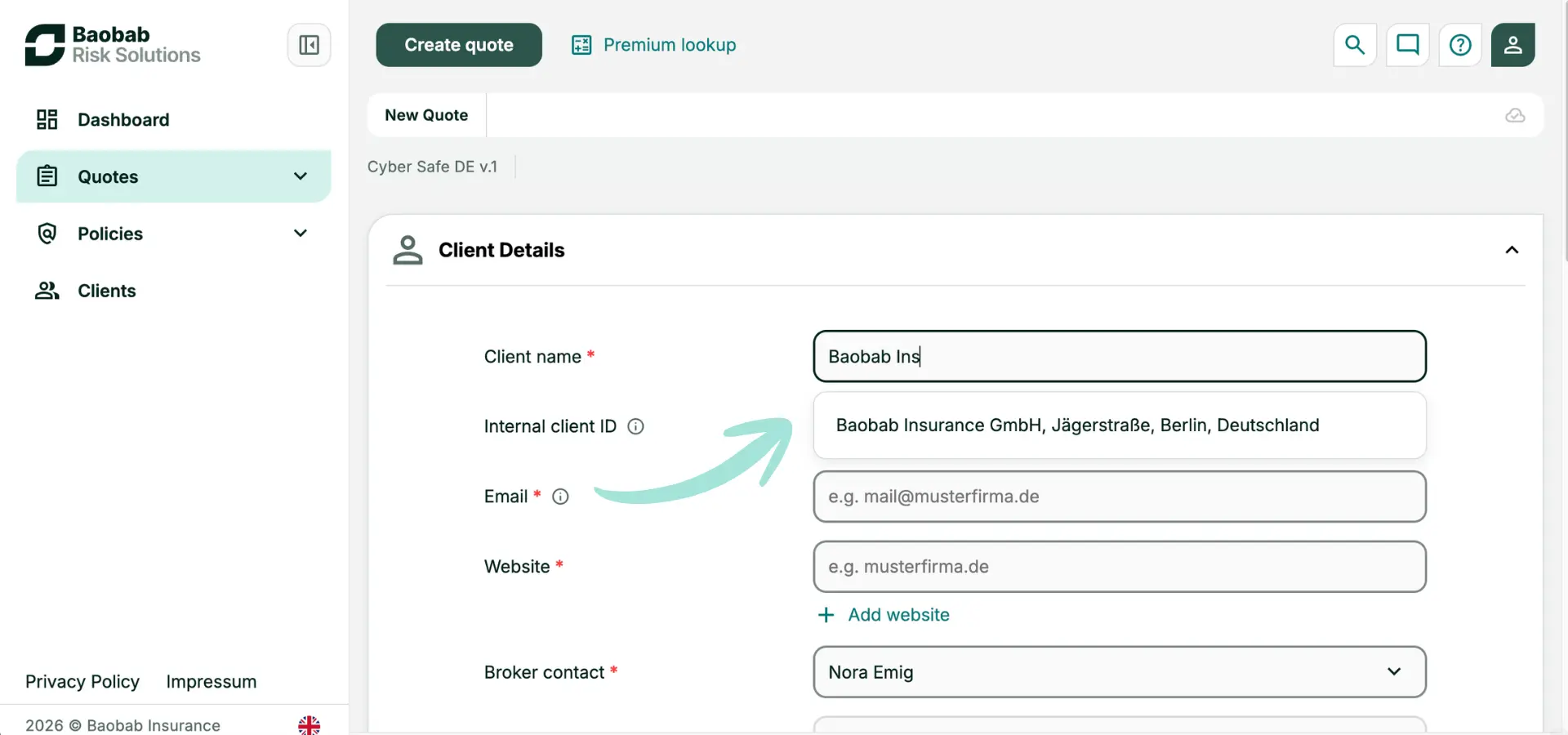
When you create a new client or start a quote in the portal, the new search function works directly within the input field:
- Enter company name: Simply type your client's company name into the corresponding field (e.g., "Baobab").
- Automatic selection: The system searches databases in the background and suggests the matching company records.
- Automatic population: With one click on the correct result, the relevant data—such as the full address and company website—is automatically transferred to the application form.
The benefits for your daily advisory practice
- Maximum time savings: Typos and manually looking up zip codes, streets, or website addresses are a thing of the past.
- Seamless transition to Deep Scan: By automatically capturing the correct company website, the foundation for automated risk analysis via Deep Scan is established.
- Seamless processes: Less effort means faster completion. During your meetings, you can focus entirely on risk analysis and advising your client.
Log in to the Baobab broker portal now and test the automated data collection for your next client project.

The blog post was written by